Introduction to the AI Recorder Dock
In today’s fast-paced digital world, productivity and efficiency are more important than ever. The emergence of innovative devices designed to streamline processes has transformed the way we work, communicate, and collaborate. One such groundbreaking device is the AI Recorder Dock. This remarkable tool integrates advanced technology to enhance recording, transcription, and collaboration capabilities, making it a must-have for professionals in various fields.
What is the AI Recorder Dock?
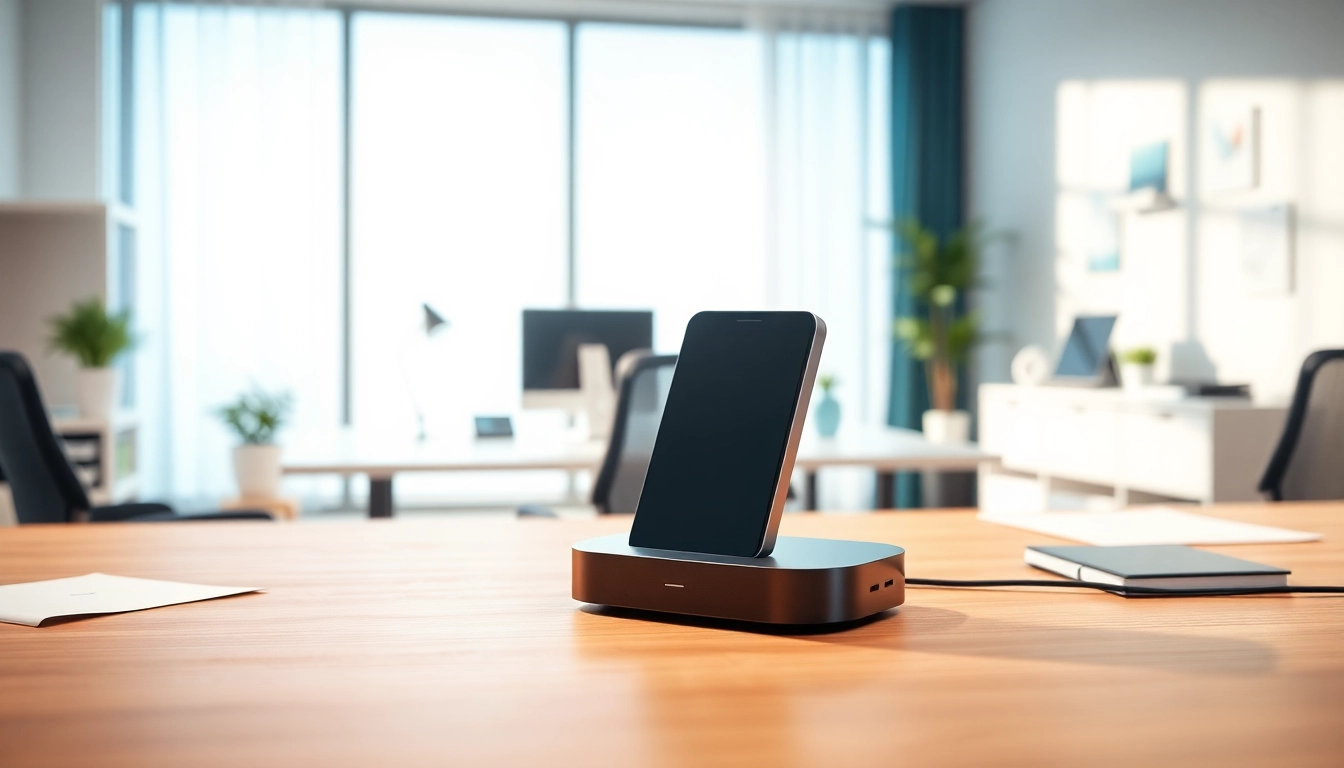
The AI Recorder Dock is a sophisticated docking station equipped with cutting-edge artificial intelligence capabilities. Functioning not only as a docking station but also as an advanced voice recorder, it combines audio capture and AI-driven transcription functionalities. Users can seamlessly connect their devices, enabling streamlined productivity while harnessing the power of AI for narration and documentation. This device is ideal for meetings, lectures, interviews, and various collaborative efforts where accurate recording and transcription are essential.
Key Features of the AI Recorder Dock
- Advanced AI Transcription: The AI Recorder Dock transcribes audio in real-time, ensuring accuracy and speed. This feature drastically reduces the time spent on manual transcription.
- Multi-Device Compatibility: Easily connects to various devices such as laptops, smartphones, and tablets, maximizing utility across different platforms.
- Streamlined User Interface: Its intuitive user interface ensures even non-tech-savvy individuals can operate it effortlessly.
- High-Quality Audio Recording: The device captures crystal-clear audio, essential for maintaining the integrity of recorded content in professional settings.
- Integration with Productivity Tools: The AI Recorder Dock integrates seamlessly with other productivity software, enhancing overall workflow and productivity.
Who Needs an AI Recorder Dock?
Several professionals and industries can significantly benefit from the features of the AI Recorder Dock:
- Corporate Executives: In the corporate world, meetings are vital. The AI Recorder Dock ensures that all discussions are accurately recorded and transcribed, aiding decision-making and promoting accountability.
- Educators and Students: Teachers and students can utilize this device for lectures, ensuring no essential information is missed and simplifying study processes through clear transcriptions.
- Journalists and Content Creators: For those in need of high-quality audio recordings and precise transcription, this device is indispensable for interviews and content gathering.
- Healthcare Professionals: In the medical field, precise documentation is crucial. The AI Recorder Dock offers excellent audio quality and transcription accuracy, aiding patient care and record-keeping.
Benefits of Using the AI Recorder Dock
Adopting the AI Recorder Dock can revolutionize your daily workflow through various benefits that heighten productivity and efficiency.
Increased Productivity
The ability to record and transcribe meetings or lectures without manual intervention significantly boosts productivity. Professionals can focus on the conversation rather than taking notes, enabling them to engage more fully and creatively. The time saved through automatic transcription can be redirected toward more critical tasks, enhancing overall productivity.
Seamless Integration with Devices
One of the most significant advantages of the AI Recorder Dock is its compatibility with various devices, enabling seamless integration into existing workflows. Whether you’re using a laptop, tablet, or smartphone, the AI Recorder Dock connects effortlessly, allowing users to transfer recordings and data without the hassle of switching devices or software.
Enhanced Collaboration Capabilities
For teams working remotely or collaborating across locations, the AI Recorder Dock facilitates better communication and collaboration. All team members can have access to accurate meeting notes and insights, reducing misunderstandings and ensuring everyone is on the same page. This enhanced collaboration can lead to more productive discussions and innovative ideas.
Setting Up Your AI Recorder Dock
Setting up the AI Recorder Dock is a straightforward process, allowing you to dive right into utilizing its features without unnecessary delays.
Unboxing and Initial Setup
Upon receiving your AI Recorder Dock, unboxing it reveals a sleek device accompanied by essential accessories. Typically included are the power adapter, user manual, and necessary connecting cables. Begin by placing the dock in a convenient location that provides easy access to both power and connectivity options. Plug in the power adapter and connect it to your preferred device using the relevant cables.
Connecting to Various Devices
Connecting the AI Recorder Dock to your devices involves a few simple steps:
- Using the appropriate cable, connect your laptop, smartphone, or tablet to the AI Recorder Dock.
- Ensure the device is powered on and recognized by your connected devices.
- Launch any necessary software that accompanies the AI Recorder Dock for full functionality.
By following these steps, you can quickly establish a reliable connection, facilitating smooth use of the dock and its features.
Software and App Integration
The AI Recorder Dock often integrates with various software applications designed to enhance user experience further. Check for companion apps available for download, enabling users to access recordings and transcriptions easily. These apps streamline the process of managing recorded files and can typically sync with cloud storage solutions, ensuring your data is safe and reachable from anywhere.
Best Practices for Using the AI Recorder Dock
To fully utilize the capabilities of the AI Recorder Dock, adhering to some best practices is essential. These tips will help maximize the quality of your recordings and transcriptions.
Maximizing Recording Quality
For optimal recording quality, position the AI Recorder Dock in a central location relative to the speakers. Minimize background noise as much as possible, and conduct recordings in spaces with adequate acoustics. Encouraging participants to speak clearly and directly into the dock can also help capture high-quality audio.
Features You Might Overlook
Many users may not explore all the features offered by the AI Recorder Dock. Take the time to familiarize yourself with functionalities such as settings for audio formats, transcription languages, and playback features, which can enhance your user experience.
Tips for Effective Transcription
To improve transcription accuracy, conduct recordings in environments where interruptions or distractions are minimal. After recording, review the transcriptions for any errors or omissions, utilizing built-in editing features that may exist within the accompanying software.
FAQs about the AI Recorder Dock
What types of recordings can the AI Recorder Dock handle?
The AI Recorder Dock can handle a variety of recordings including meetings, lectures, interviews, and any voice data, ensuring versatility in capturing essential information across different contexts.
Is the AI Recorder Dock compatible with all operating systems?
Yes, the AI Recorder Dock is designed to work with major operating systems like Windows, macOS, and mobile platforms, ensuring accessibility for a wide range of users.
How does the AI Recorder Dock ensure data security?
The AI Recorder Dock employs encryption methods during data transmission and storage, enhancing security. Additionally, users can manage permissions to control who can access their recordings and transcriptions.
Can I use the AI Recorder Dock for video conferences?
Absolutely. The AI Recorder Dock is suitable for capturing audio during video conferencing applications, allowing for high-quality recordings that can later be transcribed seamlessly.
What is the warranty on the AI Recorder Dock?
The warranty on the AI Recorder Dock typically covers manufacturing defects and service issues for a specified period post-purchase, providing peace of mind regarding your investment.