Introduction to Insta360 Cameras
What is Insta360?
Insta360 is a pioneering brand known for its innovative approach to 360-degree photography and videography. Their cameras, equipped with cutting-edge technology, allow users to capture immersive spherical images and videos, providing a unique perspective that traditional cameras cannot achieve. With various models catering to different use cases, Insta360 has made it easier for both amateurs and professionals to create engaging and interactive content. Through its user-friendly interfaces and robust performance, Insta360 has established itself as a leader in the 360-degree market.
Benefits of 360-degree Photography
360-degree photography offers numerous advantages that set it apart from standard photography. Firstly, it grants viewers the ability to explore scenes from every angle, offering a truly immersive experience. This feature is particularly beneficial for real estate showcases, travel vlogs, and virtual tours, where the ability to examine surroundings enhances storytelling.
Additionally, 360-degree images invite interactivity. Viewers can navigate through the scene at their own pace, which can increase viewer engagement and retention. This level of involvement can lead to better communication and connection with your audience. Furthermore, such photographs can evoke stronger emotional responses by allowing viewers to experience places as if they were there themselves.
Lastly, 360-degree photography allows for creativity. The ability to capture more than just a flat image opens opportunities for artistic expression, storytelling, and unique visual narratives.
Popular Use Cases for Insta360
Insta360 cameras cater to a wide range of applications, making them versatile tools for different industries. Some popular use cases include:
- Travel and Adventure: Travelers use Insta360 to document their journeys, capturing breathtaking landscapes and exciting activities from multiple viewpoints.
- Real Estate: Real estate agents can create virtual tours, giving potential buyers the chance to explore properties remotely and enhancing the selling process.
- Sports and Events: Capture dynamic sports action and memorable events, letting viewers relive moments as if they were part of the experience.
- Social Media Content: Content creators leverage Insta360 for unique storytelling, offering followers an interactive perspective to engage with their content.
- Education and Training: Educational institutions use 360-degree videos for interactive learning experiences, allowing students to explore environments safely.
Getting Started with Insta360
Setting Up Your Insta360 Camera
Setting up your Insta360 camera is straightforward and user-friendly. Start by unboxing your camera and charging the battery as per the manufacturer’s instructions. Once charged, download the Insta360 app on your smartphone, which is available for both iOS and Android devices. This app not only allows for seamless camera control but also offers editing and sharing options.
Next, connect your camera to the app via Bluetooth. This will enable remote shooting, making it easier to compose shots. Pay attention to the settings in the app to customize your capturing mode, whether it’s video, photo, or time-lapse, based on your requirements.
Lastly, ensure that your camera’s firmware is updated to the latest version, which optimizes performance and introduces new features. With this setup, you’re ready to start capturing stunning 360-degree content!
Essential Accessories for Enhanced Experience
While Insta360 cameras are outstanding on their own, several accessories can enhance their functionality and the overall user experience. Here are some key accessories to consider:
- Selfie Stick: A telescopic selfie stick can help capture wider scenes and unique angles without including yourself in the frame.
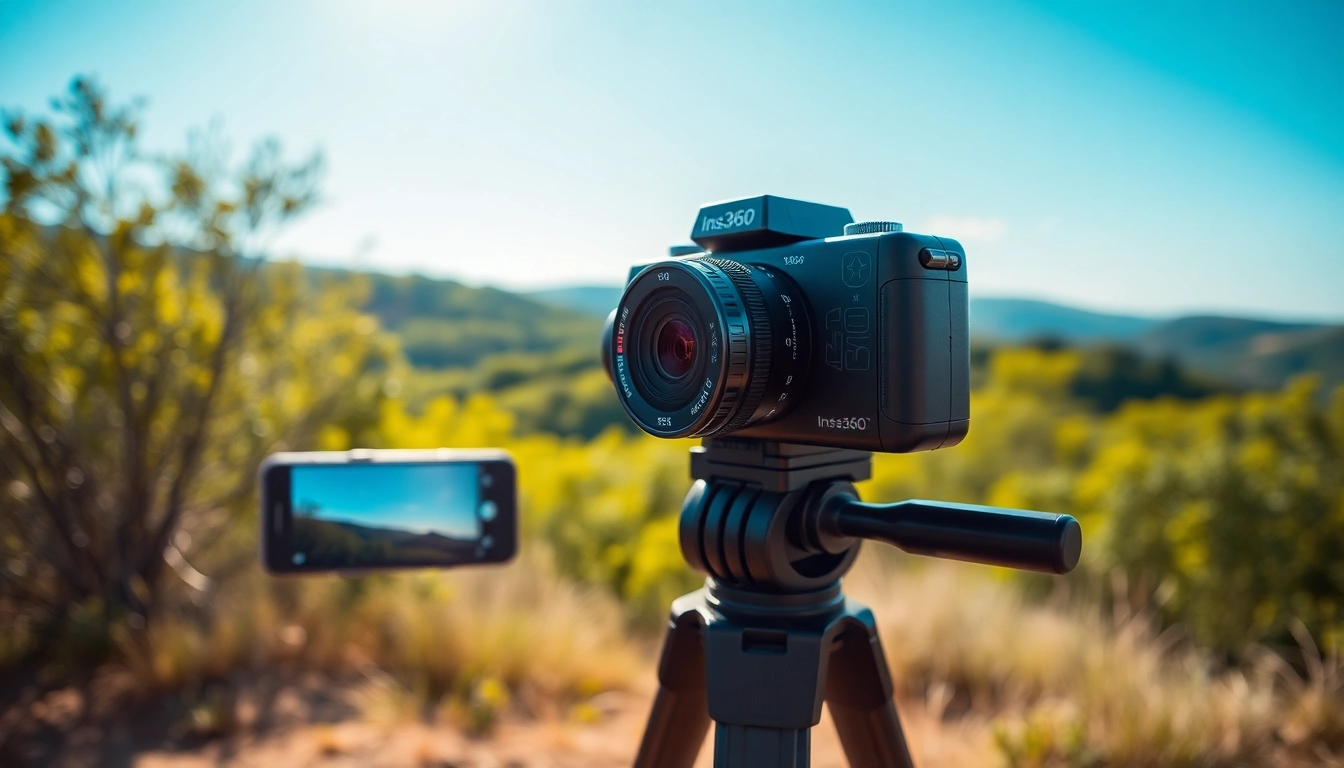
- Tripod: A sturdy tripod stabilizes your camera during shooting, especially for time-lapse or long-exposure photography.
- Protective Cases: To safeguard your camera from dust, moisture, and physical damage, investing in a good-quality case is advisable.
- External Microphone: For high-quality audio, consider an external microphone, particularly when vlogging or capturing dialogue.
- Batteries and Chargers: Extra batteries and portable chargers ensure you’re equipped for long shooting sessions without downtime.
Understanding Basic Controls and Features
Understanding the basic controls and features of your Insta360 camera is vital for maximizing its potential. The device typically features a few key buttons: power, mode selection, and a shutter button. Become familiar with their functions to switch between capturing modes easily.
Most models allow you to adjust settings through the companion app, where you can select resolutions, frame rates, and field of view. The app also provides functions such as live view, helping you frame shots accurately. Explore the various shooting modes, including photo, video, bullet time, and time-lapse, to find what works best for each scenario.
Experimenting with these controls can greatly enrich your shooting experience, allowing you to discover unique styles and methods for capturing your environment.
Advanced Techniques for Professional Shots
Editing and Enhancing Your Photos
Editing is a critical step in the photography process and can transform your simplest captures into professional-grade photos. Insta360 provides various built-in editing features within its app that allow you to adjust exposure, contrast, saturation, and sharpness with ease. Additionally, the app has options for stitching images, applying filters, and other creative effects.
You can also export your images to more advanced software for thorough post-processing. Software such as Adobe Lightroom or Photoshop can enhance your photos with layers and advanced editing tools, ensuring they pop and impress your audience.
Remember, the goal of editing is not only enhancement but also maintaining the authenticity of the captured moment. Prioritize subtlety to keep your images feeling genuine.
Using Insta360 for Vlogging
Insta360 cameras are becoming increasingly popular among vloggers for their ability to produce engaging content. The first step in vlogging with Insta360 is to select the right angle to showcase your narrative effectively. Use the camera’s 360-degree capabilities to immerse your audience in the experience, allowing them to feel as if they are right there with you.
Utilize the app for live streaming, a feature that many vloggers find beneficial for real-time interaction with their audience. Prepare a comfortable setup, ensuring the camera is stable. Adding narrative elements, such as video overlays or voice-overs, can help convey your message clearly.
Post-shooting, leverage editing features to refine your footage, adding transitions and music to sync with the pace of your content. Engaging thumbnails and titles can work wonders for viewership, so invest time in creating visually appealing elements.
Creating Immersive Virtual Tours
With the rise of interest in virtual tours, Insta360 cameras are invaluable tools for creating immersive experiences. Start by meticulously planning your virtual tour’s narrative to guide viewers through the intended experience. Choose locations carefully and decide on key focal points that should be highlighted.
When capturing, maintain a smooth, consistent pace. This will ensure that viewers feel comfortable navigating through the scenes. Using a tripod can provide stability for longer shots, which is crucial in maintaining engagement throughout the tour.
Incorporate hotspots or informational pop-ups in the editing phase to create an interactive experience for viewers. This feature adds layers of information, allowing users to learn more about specific areas or features without losing sight of the visual journey.
Common Challenges and Solutions
Addressing Common Technical Issues
Like any technology, Insta360 cameras can encounter technical issues. A common concern is battery life. To counter this, carry extra batteries or charging options for extended trips. If you experience connectivity issues with the app, restarting your camera or phone can often resolve syncing problems. Additionally, ensure your firmware is updated to the latest version to minimize software glitches.
Improving Image Quality
If you notice that your images lack sharpness or clarity, there are several steps you can take. First, ensure you are shooting in optimal lighting conditions, as low-light environments can significantly hinder image quality. Use a tripod for stability, especially in complex shots.
Post-editing can also enhance image quality. Utilize sharpening tools in editing software to enhance details without overdoing it. Practicing different shooting angles and settings will help you discover what works best for specific scenes.
Protecting Your Insta360 Camera
Protecting your Insta360 camera is crucial for longevity and performance. Use a protective case when transporting the device to shield it from physical impacts and environmental hazards. Regularly clean the lenses to avoid dust and smudges that could affect image quality.
Be aware of temperature extremes. Exposure to high heat or freezing conditions can damage internal components. Store the camera in a cool, dry place when not in use, and always follow manufacturer guidelines on handling and maintenance.
FAQs about Insta360
What types of images can I capture with Insta360?
With Insta360, you can capture a variety of images, including 360-degree photos, standard photos, videos, and time-lapse sequences. The options offer versatile storytelling capabilities.
How does Insta360 perform in low light?
Insta360 cameras generally perform well in low light; however, results may vary based on the model. Using stable support like a tripod helps minimize noise and enhance quality in darker conditions.
Can I use Insta360 for live streaming?
Yes! Many Insta360 models come with live streaming capabilities. You can stream directly to platforms like Facebook or YouTube, allowing you to share your experiences in real time.
Is Insta360 waterproof?
Most Insta360 cameras are not waterproof out of the box, but housing accessories can be purchased to protect them from water exposure, making them suitable for underwater photography.
What editing software works best with Insta360?
The Insta360 app provides comprehensive editing tools. For advanced editing, software like Adobe Premiere Pro or Final Cut Pro can be used in tandem for detailed post-production.